Dept 11

Printers

628 products 3D Printers, All In One Printers, Ink and Toner

Printers for home and office, from basic inkjets to laser models, all at prices built for bargain hunters

Need help choosing? Best Coupon Browser Extensions Read the guide ›

Printers come in a few main types, and the type you pick shapes what you can do with it. Inkjet printers are the usual choice for home photos and occasional documents, while laser printers handle heavy text printing and tend to cost less per page over time. Some models also add scanning, copying, or wireless printing from a phone, so check which features you will actually use. Before you buy, look at the running cost of ink or toner, the paper sizes it supports, and whether it connects to your computer or network the way you need.

Printers

Product List

628 products · We may earn a commission from these links.

Ugee Funbox 3D Printer for Kids with AI Tools

Ugee Funbox 3D Printer

Product Review Score

4.59 out of 5 stars

(229)

Product Review Score

4.59 out of 5 stars

(229)
3D Printing for Complete Beginners: Step-by-Step Guide

3D Printing Beginner Guide

Product Review Score

4.23 out of 5 stars

(207)
Product Review Score

4.23 out of 5 stars

(207)
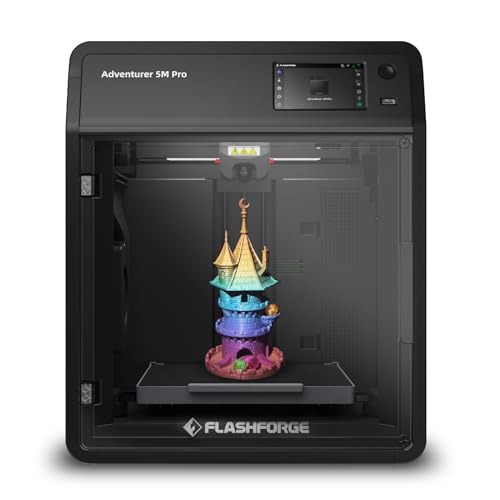
FLASHFORGE Adventurer 5M Pro 3D Printer with Auto Printing System

Adventurer 5M Pro 3D Printer

Product Review Score

4.89 out of 5 stars

(95)

Product Review Score

4.89 out of 5 stars

(95)
Magic Jimmy 3D Printer for Kids, AI-Powered, Fully Assembled

Magic Jimmy 3D Printer

Product Review Score

4.58 out of 5 stars

(76)

Product Review Score

4.58 out of 5 stars

(76)
FLASHFORGE AD5X Multi-Color 3D Printer, CoreXY 600mm/s

FLASHFORGE AD5X 3D Printer

Product Review Score

4.44 out of 5 stars

(146)

Product Review Score

4.44 out of 5 stars

(146)
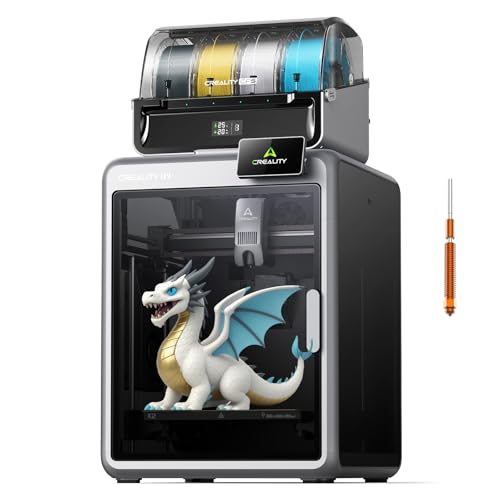
Creality K2 Combo 3D Printer with CFS Multicolor

Creality K2 Combo 3D Printer

Product Review Score

4.3 out of 5 stars

(21)

Product Review Score

4.3 out of 5 stars

(21)
Entina Tina2S Mini 3D Printer for Kids and Beginners

Entina Tina2S 3D Printer

Product Review Score

4.96 out of 5 stars

(93)

Product Review Score

4.96 out of 5 stars

(93)
Magic Jimmy 3D Printer for Kids, AI-Powered, Fully Assembled

Magic Jimmy 3D Printer

Product Review Score

4.41 out of 5 stars

(207)

Product Review Score

4.41 out of 5 stars

(207)
SCRIB3D P1 3D Printing Pen with Display and Starter Kit

SCRIB3D P1 3D Pen

Product Review Score

4.92 out of 5 stars

(52)

Product Review Score

4.92 out of 5 stars

(52)
AOSEED X-MAKER AI+ AI 3D Printer for Kids with 8 PLA Filaments

AOSEED X-MAKER AI+ 3D Printer

Product Review Score

4.39 out of 5 stars

(216)

Product Review Score

4.39 out of 5 stars

(216)
Flashforge Adventurer 5M 3D Printer with Direct Drive and Auto-Leveling

Flashforge Adventurer 5M

Product Review Score

4.21 out of 5 stars

(224)

Product Review Score

4.21 out of 5 stars

(224)
Frucindra Glow in the Dark PLA+ 3D Printer Filament 1.75mm 4 Colors

Frucindra Glow PLA+ Filament

Product Review Score

4.88 out of 5 stars

(87)

Product Review Score

4.88 out of 5 stars

(87)

Printers come in inkjet and laser types, and that split matters more than anything else when you start shopping. Inkjets spray small droplets of ink onto paper and handle photos and colour work well, while lasers use toner and tend to be the better pick for printing lots of text quickly. Before you buy, check the paper sizes the printer supports, since some only take standard letter and A4 while others also handle larger sheets.

Think about how often you will print and what you will print. If you only print the odd school form or letter now and then, a basic inkjet is usually enough, but keep in mind that ink cartridges can cost more over time than the printer itself. Households that print a lot of documents will often find a laser model cheaper per page, even though the upfront price is higher. Wireless connection is handy if several people share one machine from different rooms.

Care is simple but worth doing. Inkjets dry out when they sit unused for weeks, so print a test page every so often to keep the nozzles clear. Lasers want a clean, dust-free spot and the toner replaced when the warning light comes on. Buy from a store that lists the exact model and check that the ink or toner cartridges you need are sold alongside it.